
Features
Plan projects. Keep crews moving.
Explore the open beta: organize projects, schedule your team, and keep updates and files together.
Website requests & consultations
From first inquiry to project review.
Website visitors can submit project details and book a consultation without signing in. New contacts appear as prospects, with projects awaiting your confirmation.
- Managers can optionally connect Google Calendar and choose a writable booking calendar
- Busy-time checks help prevent conflicting appointments
- Booked consultations appear on the selected calendar; disconnect in workspace settings
Website requests & consultations
From first inquiry to project review.
Website visitors can submit project details and book a consultation without signing in. New contacts appear as prospects, with projects awaiting your confirmation.
Available in the open beta.
Projects
Every job, fully captured.
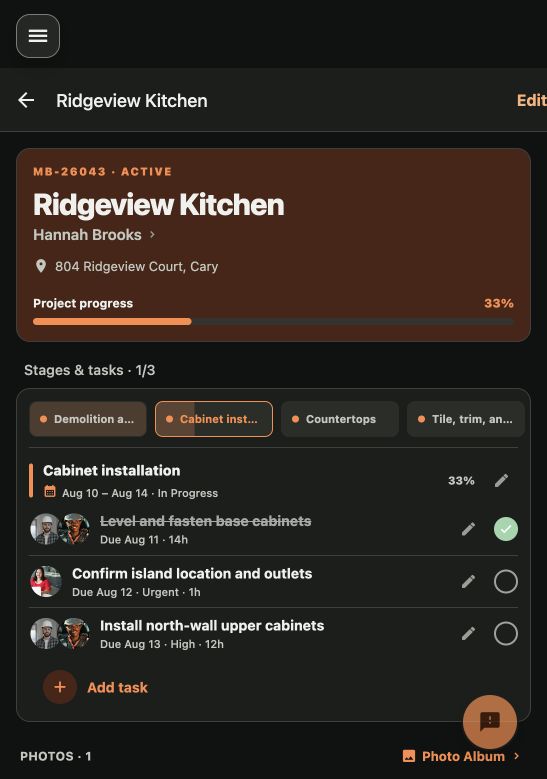
Create a project in seconds. Photos, files, notes, stages, and progress all live in one place. No more hunting through texts and email for that one before-photo.
- Photo and file uploads on every update
- Stage and task templates per project type
- Progress bars that reflect what's actually done
Updates & evidence
Progress tied to the work.
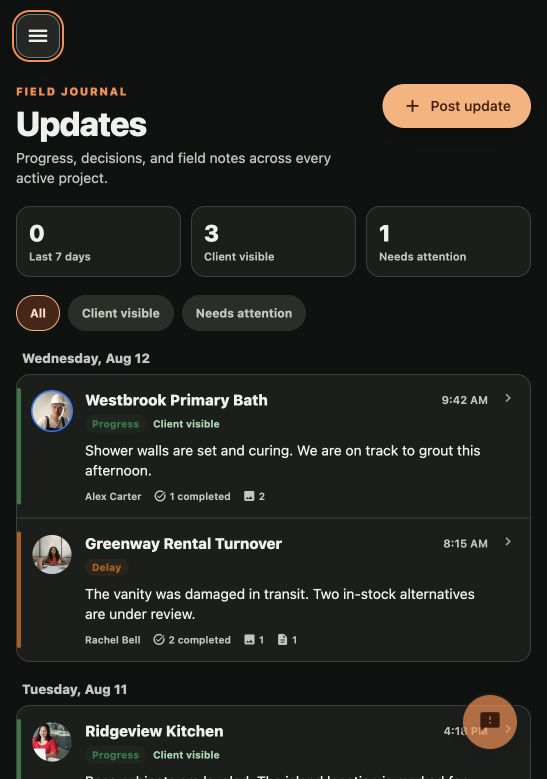
Post a field update, attach photos, and complete selected tasks together. Draft evidence stays durable when the connection drops.
- Project, area, stage, and task context
- Durably staged photos
- Visible offline and sync status
Vendors
Your trusted trades, ready for the next job.
Keep preferred vendors close, discover nearby specialists, and filter the list to the trades your crew needs.
- Organize preferred vendors by trade
- Search nearby specialists within your chosen radius
- Schedule saved vendors alongside your team
Vendors
Your trusted trades, ready for the next job.
Keep preferred vendors close, discover nearby specialists, and filter the list to the trades your crew needs.
Available in the open beta.
Scheduling
Plan the week without the spreadsheet.
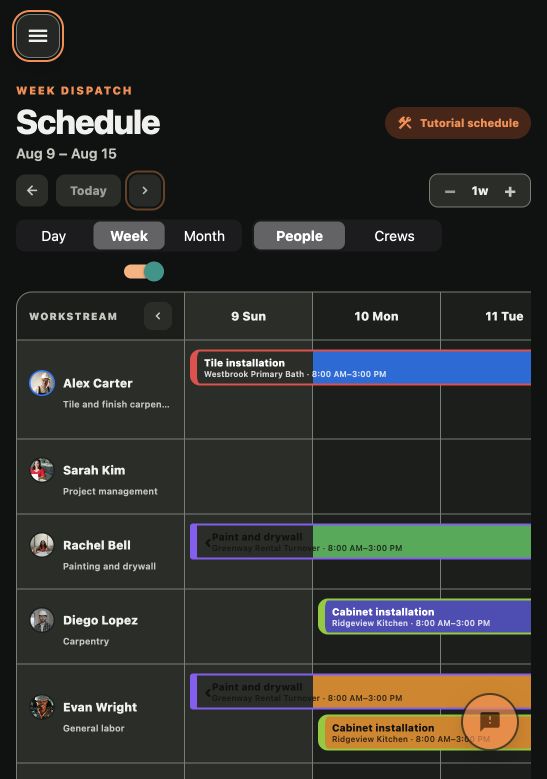
Schedule stages and tasks across projects with worker, crew, and vendor rows in one week board.
- Drag stages and tasks across days and crews
- Move, resize, reassign, or unschedule work
- Tap and keyboard alternatives to drag interactions
My Day
The field sees what matters now.
Workers get a focused daily plan with assignment details, directions, project context, tasks, and field updates.
- Assignments scoped to the signed-in worker
- Directions and team context
- Task completion and progress updates
My Day
The field sees what matters now.
Workers get a focused daily plan with assignment details, directions, project context, tasks, and field updates.
Available in the open beta.
Files
Project documents stay organized.
Add files to a project, organize them in folders, preview private content, and share or download a copy when needed.
- Durable upload staging
- Folders, rename, move, and status
- Private preview with explicit sharing
Files
Project documents stay organized.
Add files to a project, organize them in folders, preview private content, and share or download a copy when needed.
Available in the open beta.
Ready to give it a run?
The open beta is free and does not require a paid subscription.
Try the open beta